
A stolen password is dangerous, but a stolen session token can be worse. It may let an attacker enter an account without completing the login process again.
When I assess how to prevent session hijacking attacks, I do not focus on one security feature. I protect the session token from creation through deletion. This lifecycle approach closes gaps that HTTPS, MFA, or secure cookies cannot fix alone.
What Is a Session Hijacking Attack?
Session hijacking happens when an attacker obtains or misuses a valid session identifier. The application may then treat the attacker as an authenticated user.
Attackers can steal tokens through cross-site scripting, malware, phishing proxies, insecure networks, browser weaknesses, or exposed logs. Session fixation works differently. The attacker forces or predicts an identifier and waits for the victim to authenticate with it.
OWASP recommends using unpredictable session identifiers and strict session management. Applications should reject identifiers they did not generate.
Why MFA Alone Cannot Protect Active Sessions
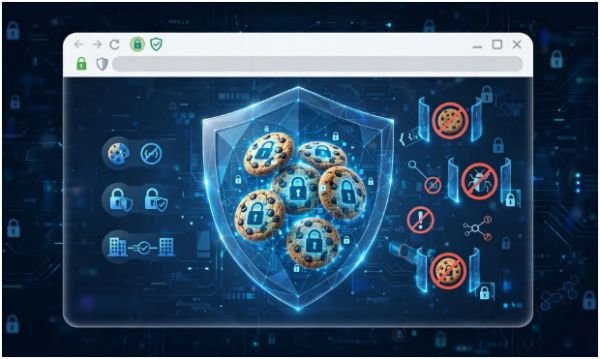
MFA strengthens the login process. It does not automatically protect every request made after login.
Once authentication succeeds, the browser usually sends a session cookie or access token with later requests. An attacker who steals that active credential may not face another MFA challenge.
That distinction changed how I review login security. I treat authentication and session protection as connected but separate controls. Strong authentication reduces account takeover, while secure session management limits token theft and replay.
Phishing-resistant cryptographic authentication remains valuable. NIST recommends phishing-resistant authenticators because they prevent authentication secrets from being disclosed to fraudulent websites.
Teams should also know how to secure website login forms because unsafe authentication flows can expose sessions before protective controls begin.
How to Prevent Session Hijacking Attacks

Encrypt Every Connection
Serve the entire website through HTTPS, not only the login page. Otherwise, a session cookie could enter an unencrypted request after authentication.
Use a current TLS configuration and redirect HTTP traffic to HTTPS. Add HTTP Strict Transport Security so compatible browsers continue using encrypted connections.
Encryption blocks passive network sniffing, but it cannot stop malware or an XSS payload running inside the browser. That is why transport security must remain one layer of a larger system.
Harden Session Cookies
For cookie-based sessions, I start with three attributes:
- Secure prevents the cookie from being sent through ordinary HTTP.
- HttpOnly prevents JavaScript from reading the cookie through document.cookie.
- SameSite controls when browsers include the cookie in cross-site requests.
MDN recommends setting Secure and using HttpOnly for cookies that JavaScript does not need to access. It also advises setting SameSite explicitly for consistent browser behavior.
Use SameSite=Strict when cross-site navigation is unnecessary. Lax often provides a more practical balance. Applications requiring SameSite=None must also use Secure.
Cookie prefixes add another useful safeguard. A __Host- cookie must use HTTPS, have a root path, and exclude the Domain attribute. This limits overly broad cookie scope.
Regenerate Session IDs
Generate a new session identifier immediately after login. Regenerate it again after password changes, role upgrades, administrative elevation, or other privilege changes.
This step prevents an identifier used before authentication from becoming a trusted authenticated session. It is one of the most direct defenses against session fixation.
The old identifier must become invalid immediately. Keeping both identifiers active defeats the purpose of regeneration.
Limit Session Lifetimes
Sessions should not remain valid indefinitely. I normally apply both an idle timeout and an absolute expiration limit.
The idle timeout closes a session after inactivity. The absolute limit ends it after a fixed period, even if the user remains active. Sensitive actions may require recent reauthentication before they proceed.
Choose limits according to risk. A banking dashboard needs stricter controls than a low-risk content account. Avoid one timeout policy for every user and action.
Rotate Refresh Tokens

Refresh tokens deserve stronger protection because they can generate new access tokens. When a client uses one, issue a replacement and invalidate the previous token.
If an invalidated token appears again, assume token reuse or theft. Revoke the token family and require authentication.
Store token lineage, issue times, client identifiers, and revocation status. This gives your security team enough context to investigate replay attempts.
Stop XSS and CSRF Attacks
HttpOnly reduces direct cookie theft through JavaScript, but it does not make XSS harmless. A malicious script may still send authenticated requests from the victim’s browser.
Use contextual output encoding, safe templating, input handling, and a restrictive Content Security Policy. Avoid inserting untrusted values into executable HTML or JavaScript contexts.
For state-changing requests, combine SameSite cookies with anti-CSRF tokens and origin validation. SameSite is useful, but it should not become the only CSRF defense. OWASP explains that CSRF abuses a browser’s authenticated state to submit unwanted actions.
Add Proof-of-Possession Protection
Bearer tokens work like cash. Whoever possesses one may be able to use it.
High-risk OAuth systems can use sender-constrained tokens through DPoP or mutual TLS. DPoP requires the client to prove possession of a private key when presenting a token. A copied token becomes less useful without that key.
RFC 9449 defines DPoP as an application-layer proof-of-possession mechanism for sender-constraining OAuth 2.0 tokens.
This control adds implementation complexity. I reserve it for sensitive APIs, financial systems, administrative tools, and environments where token replay creates serious damage.
Detect Suspicious Session Changes
Record enough session context to identify meaningful anomalies. Useful signals include impossible travel, new device characteristics, rapid location changes, token reuse, unusual request volume, and access to unfamiliar resources.
Do not terminate every session because an IP address changes. Mobile users and corporate networks change addresses frequently. Instead, combine several signals into a risk score.
OWASP notes that stolen-cookie use may produce changes in connection and environment information. These differences can help applications detect misuse.
For medium-risk changes, require reauthentication. For strong evidence of theft, revoke the session and related tokens immediately.
Destroy Sessions During Logout
Logout must invalidate the server-side session, not simply remove a browser cookie. Otherwise, a copied token may remain usable until expiration.
Clear the cookie with matching Path and Domain settings. Revoke associated refresh tokens and remove sensitive cached content where appropriate.
Provide users with a “log out of all devices” option. This is especially helpful after phishing, malware infection, or a lost device.
A Practical Session Security Example
Consider an administrator who signs in, receives a cookie, and later opens the user-management panel.
A weak application keeps the original session ID, allows it for several days, and relies only on MFA at login. An attacker who steals that cookie receives the same administrative access.
A stronger flow issues a new session ID after login, sets a short idle timeout, and requires recent authentication before role changes. The cookie uses Secure, HttpOnly, and an appropriate SameSite value. Suspicious device changes trigger another verification step.
My practical rule is simple: the more damaging the next action could be, the fresher and stronger the required proof should become. This “risk rises, proof rises” model provides better protection than treating every authenticated request equally.
Session Hijacking Prevention for Users
Users cannot repair weak server-side session management, but they can reduce exposure.
Use passkeys or another phishing-resistant authentication method when available. Keep browsers, operating systems, and security tools updated. Avoid installing unknown extensions because malicious extensions may access browser data.
Do not open sensitive accounts on shared devices. Avoid untrusted public Wi-Fi for financial or administrative work. A reputable VPN can protect traffic on an unsafe local network, although it cannot fix malware or a fraudulent website.
Log out when finishing sensitive tasks. After suspected phishing or malware, revoke active sessions from the account’s security page. Changing the password alone may not invalidate every existing session.
Frequently Asked Questions
1. What is the best way to prevent session token theft?
Use HTTPS, hardened cookies, XSS prevention, short session lifetimes, secure token storage, rotation, and server-side revocation together.
2. Can HTTPS prevent all session hijacking attacks?
No. HTTPS protects tokens during transit, but it cannot stop XSS, malware, phishing proxies, exposed logs, or weak session management.
3. How do secure cookies help prevent session hijacking?
Secure, HttpOnly, and SameSite limit unencrypted transmission, JavaScript access, and certain cross-site requests.
4. How can users prevent session hijacking on public Wi-Fi?
Avoid sensitive activity, use HTTPS, consider a trusted VPN, keep devices updated, and log out after completing the session.
Lock the Door After Login
Learning how to prevent session hijacking attacks starts with one important shift: successful login does not mean security work is finished.
Protect tokens during transmission, storage, renewal, use, and destruction. Begin by auditing every session cookie and confirming that logout invalidates the server-side session. Then test session regeneration, expiration, token rotation, and suspicious-use detection.
Passwords guard the entrance. Secure session management makes sure nobody slips through behind the authorized user.
Leave a Reply